MCP Explained Simply: The Protocol Turning AI into Agents
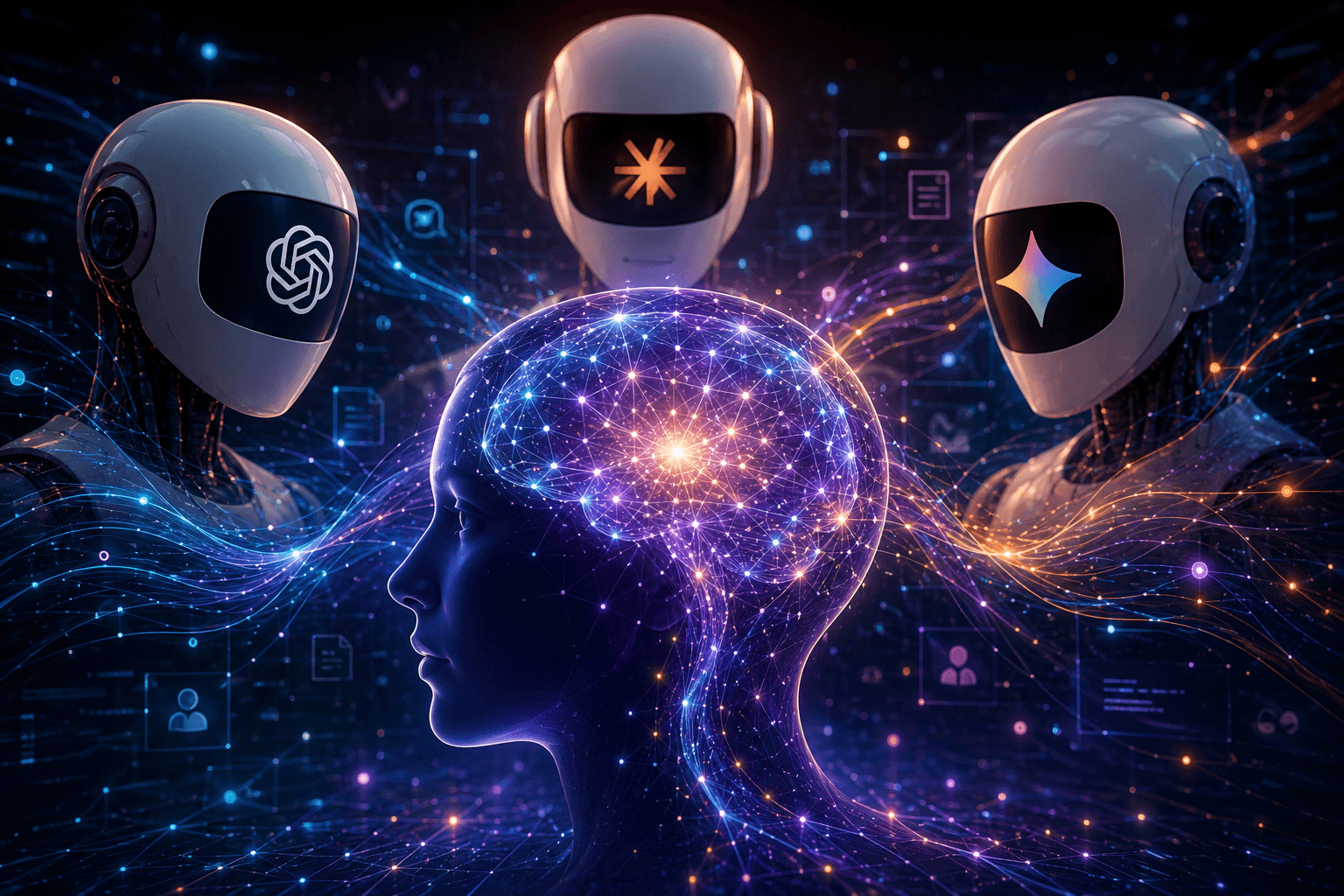
MCP (Model Context Protocol) is becoming the layer that connects Claude, ChatGPT, Gemini, Copilot and AI agents to real tools: GitHub, Slack, Notion, Drive, SQL databases and internal systems. This guide explains how it works, why it is being adopted, where it is useful and what security risks to watch.
⚡ In 30 seconds
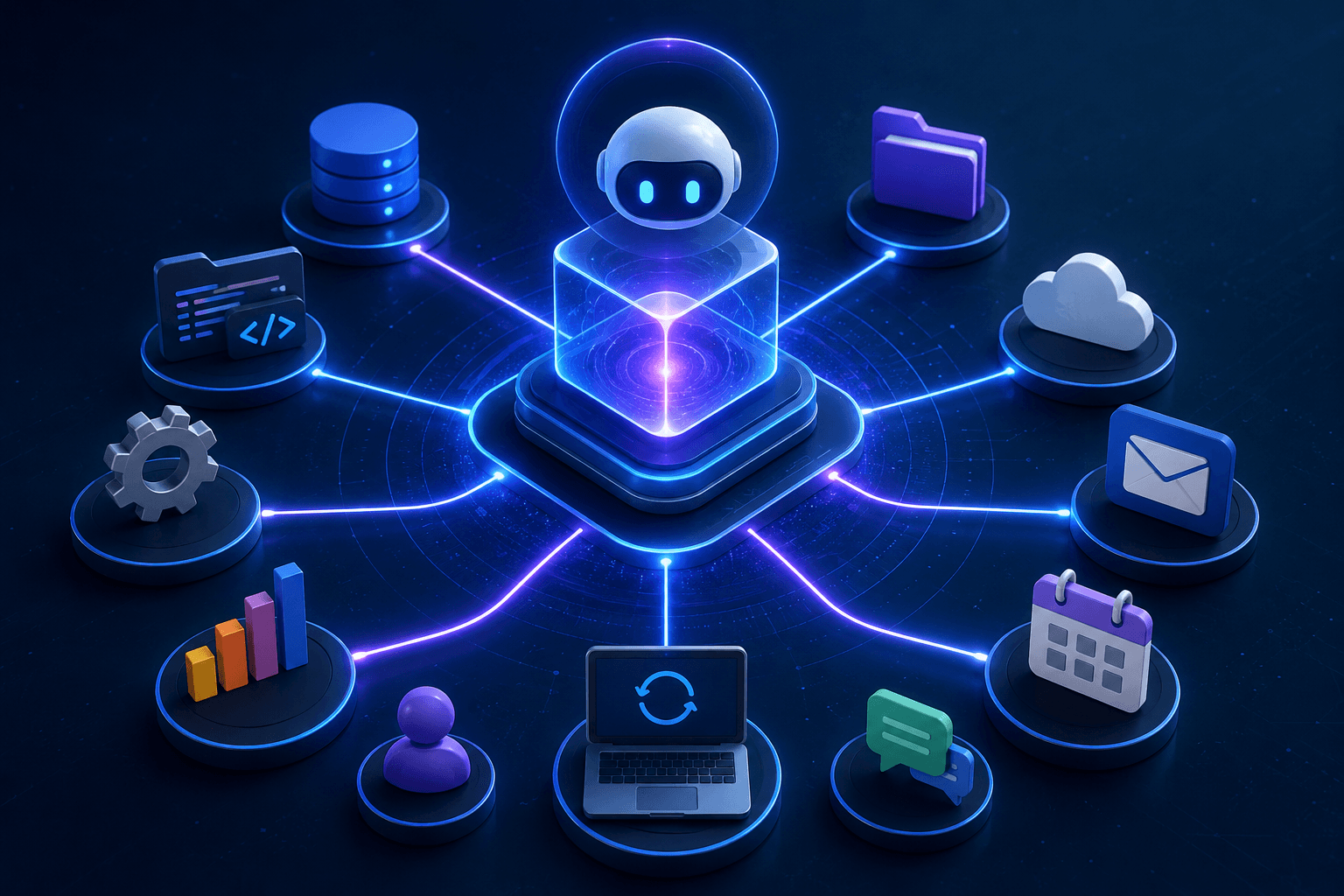
MCP, or Model Context Protocol, is the open standard that lets AI systems connect cleanly to external tools. Claude, ChatGPT, Gemini, Cursor and Copilot can use GitHub, Slack, Notion, Google Drive, SQL databases, file systems or business APIs through a shared interface.
Before MCP, every AI-tool pair needed its own integration. As more models and more apps appeared, complexity exploded. MCP simplifies the architecture: a tool exposes an MCP server, and any compatible client can use it.
In plain English: MCP does not make models smarter. It gives them hands. It is one of the most important technical layers behind the rise of AI agents in 2026.
The Neuriflux Verdict
MCP is probably one of the most important protocols in the modern AI ecosystem. Not because it looks spectacular on the surface, but because it solves a fundamental problem: how to let AI act in the real world without rebuilding a different integration for every tool.
🟢 What MCP really changes It turns AI assistants into agents that can use tools, read data, execute actions and follow complete workflows.
🔴 The real weakness Security. An agent connected to files, email, databases or a terminal can become extremely powerful. Without strict controls, MCP also opens the door to tool poisoning, malicious servers, prompt injection and permission mistakes.
Our recommendation If you build agents, use Claude Desktop, Cursor, ChatGPT Agents, Copilot Studio or an enterprise AI stack, MCP is a protocol you should understand now. If you only use ChatGPT for simple questions, it is not essential yet, but it explains a major part of where AI products are going.
Final verdict: MCP is the AI integration standard to understand in 2026.
📊 Neuriflux Score: 9.1/10
> Quick read > MCP scores highly because it solves a structural problem in agentic AI: connecting models to tools without rebuilding a different integration every time. Its main weakness is security.
Our score is not only about MCP's popularity. It combines five criteria: adoption, interoperability, developer value, enterprise potential and security maturity.
| Evaluation axis | Weight | Score | Why it matters |
|---|---|---|---|
| Ecosystem adoption | 25% | 9.6/10 | MCP started at Anthropic, then expanded across OpenAI, Google, Microsoft, developer tools and many community servers. |
| Interoperability | 20% | 9.4/10 | MCP directly addresses the M × N problem: one tool can expose one MCP server reusable by many AI clients. |
| Developer value | 20% | 9.2/10 | MCP simplifies connections between models, files, APIs, databases, SaaS tools and internal workflows. |
| Enterprise potential | 15% | 8.6/10 | More neutral governance and remote deployments make MCP credible for organizations, even if production maturity is still young. |
| Security and control | 20% | 7.1/10 | This is the main limitation: tool poisoning, indirect prompt injection, untrusted servers and excessive permissions require strong safeguards. |
🚀 MCP in numbers
| Signal | What it shows |
|---|---|
| 2024 | MCP is initially released by Anthropic. |
| 2025 | OpenAI, Google, Microsoft and the agent ecosystem begin adopting it. |
| 2026 | MCP becomes a central integration layer for AI agents. |
| 10,000+ public servers | The connector ecosystem is growing fast. |
| 19,000+ servers indexed in some registries | The network effect is becoming hard to ignore. |
| Linux Foundation | Governance becomes more neutral and more credible for enterprises. |
How we prepared this guide
To build this guide, we cross-checked several types of information: the public protocol documentation, announcements from major AI companies, observed usage in agent tools, security analyses around MCP servers, and the practical needs of developers trying to connect models to tools.
The goal is not to repeat a technical definition. The goal is to answer a more useful question: why MCP matters, who should care, and what risks you need to understand before using it.
Why everyone is talking about MCP
If you follow AI closely, you have probably seen the acronym MCP everywhere: Anthropic announcements, Claude workflows, developer tools like Cursor, agent frameworks, enterprise AI stacks and discussions about automated workflows.
The difficult part is that MCP is not an app. It is not a chatbot. It is not a model like GPT, Claude or Gemini. It is an infrastructure layer. And infrastructure layers are usually less visible than the products they make possible.
That is exactly why MCP matters.
A language model alone can reason, write, summarize, classify or generate code. But if it cannot access your tools, read your files, check your tickets, query your database or execute an action, it remains trapped inside the conversation.
MCP changes that. It gives AI systems a standardized way to access external tools.
> Key takeaway > MCP is an open standard that standardizes the connection between AI and tools. It is not a user interface: it is a technical foundation for AI agents that can act.
What is the Model Context Protocol?
The simple definition
The best analogy is still this: MCP is USB-C for AI applications.
Before USB-C, every device had its own cable. One charger for a phone, another for a camera, another for a laptop, another for a tablet. The problem was not that the devices were bad. The problem was the lack of a common connector.
Before MCP, AI had a similar problem. Each model had its own way of interacting with tools. Each tool had its own API. Each integration had to be coded, maintained, secured and adapted to a specific platform.
MCP provides a common interface.
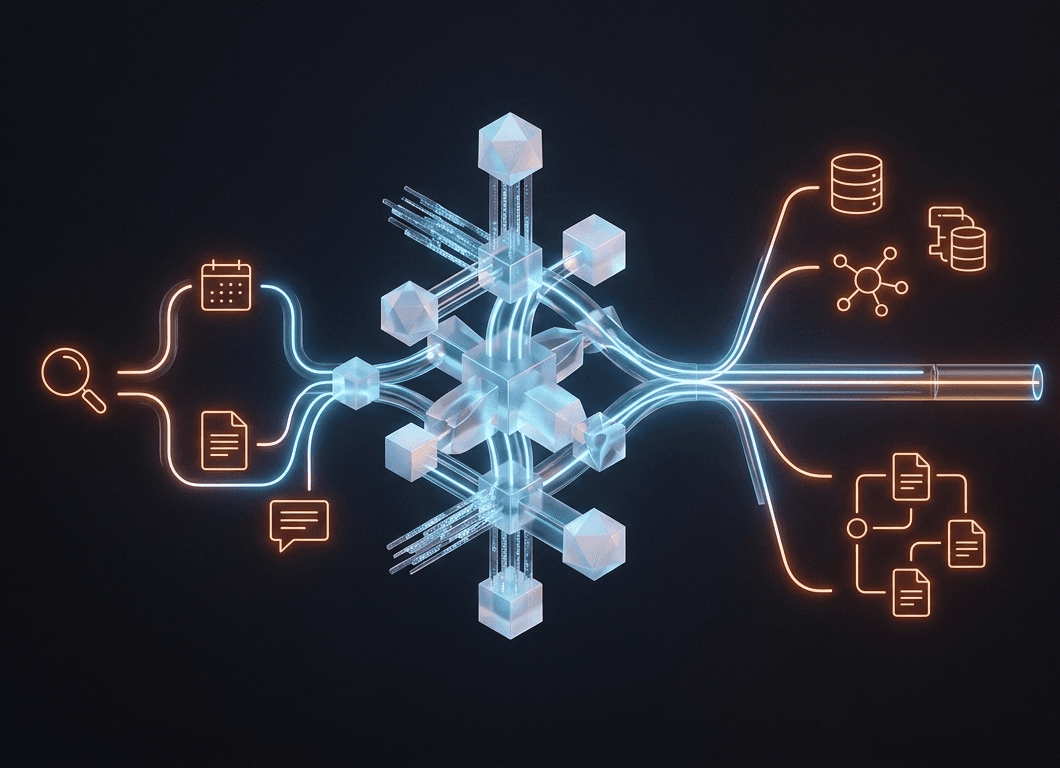
An MCP-compatible AI does not need a specific integration for every tool. It can discover the capabilities of an MCP server, understand available actions, call a tool, receive a structured response and continue its reasoning.
The technical definition
Technically, MCP is an open protocol designed to connect AI models to external tools, services and data sources. It relies on a client-server architecture and uses JSON-RPC 2.0 to structure exchanges.
An MCP server can expose three main categories of capabilities:
| MCP primitive | Role |
|---|---|
| Tools | Functions the AI can call, such as searching a file, creating a ticket, reading a database or triggering an action. |
| Resources | Data sources the AI can read, such as files, documents, tables or application content. |
| Prompts | Predefined instruction or workflow templates that guide specific use cases. |
Who created MCP, and why?
MCP was released by Anthropic, the company behind Claude. The initial idea was simple: AI models were becoming more capable, but they remained isolated from the tools and data required to solve real problems.
In other words, we had models that could reason, but they could not act cleanly without custom integration work.
For enterprises, this was a major problem. Connecting an AI assistant to Google Drive, GitHub, Slack, Notion, a CRM, a SQL database or an internal tool required specific code every time. That code then had to be adapted to each model or platform.
MCP addresses that fragmentation.
Instead of creating a different integration for every AI-tool combination, you create an MCP server on the tool side. Then any compatible client can connect to it.
Why OpenAI, Google and Microsoft adopted it
A protocol created by Anthropic could have stayed limited to Claude. That is not what happened.
OpenAI added MCP support to its agent ecosystem. Google announced MCP support for several Google and Google Cloud services. Microsoft worked with Anthropic around the MCP ecosystem and its developer and enterprise integrations.
Why would direct competitors adopt a standard launched by Anthropic?
Because MCP solves a problem shared by the entire ecosystem.
The more MCP servers exist, the more useful the protocol becomes. The more AI clients support it, the more developers want to build MCP servers. It is a classic network effect: every additional connected tool increases the value of the whole system.
The move toward more neutral governance through the Linux Foundation strengthens that signal. For enterprises, this matters: they are more likely to invest in technology that is not fully controlled by a single vendor.
Why AI was limited before MCP
Before MCP, connecting AI to tools often meant expensive custom work.
Traditional APIs were powerful, but they were not designed to be discovered and used dynamically by models. Developers had to write code, handle authentication, structure calls, parse responses and anticipate errors.
Plugins tried to solve this issue, but they were usually locked to a specific platform. A plugin built for one ecosystem was not naturally reusable elsewhere.
Proprietary connectors worked, but they trapped users inside a vendor's logic. Each platform wanted its own system.
Homegrown scripts were quick to build but fragile, hard to maintain and rarely secured properly.
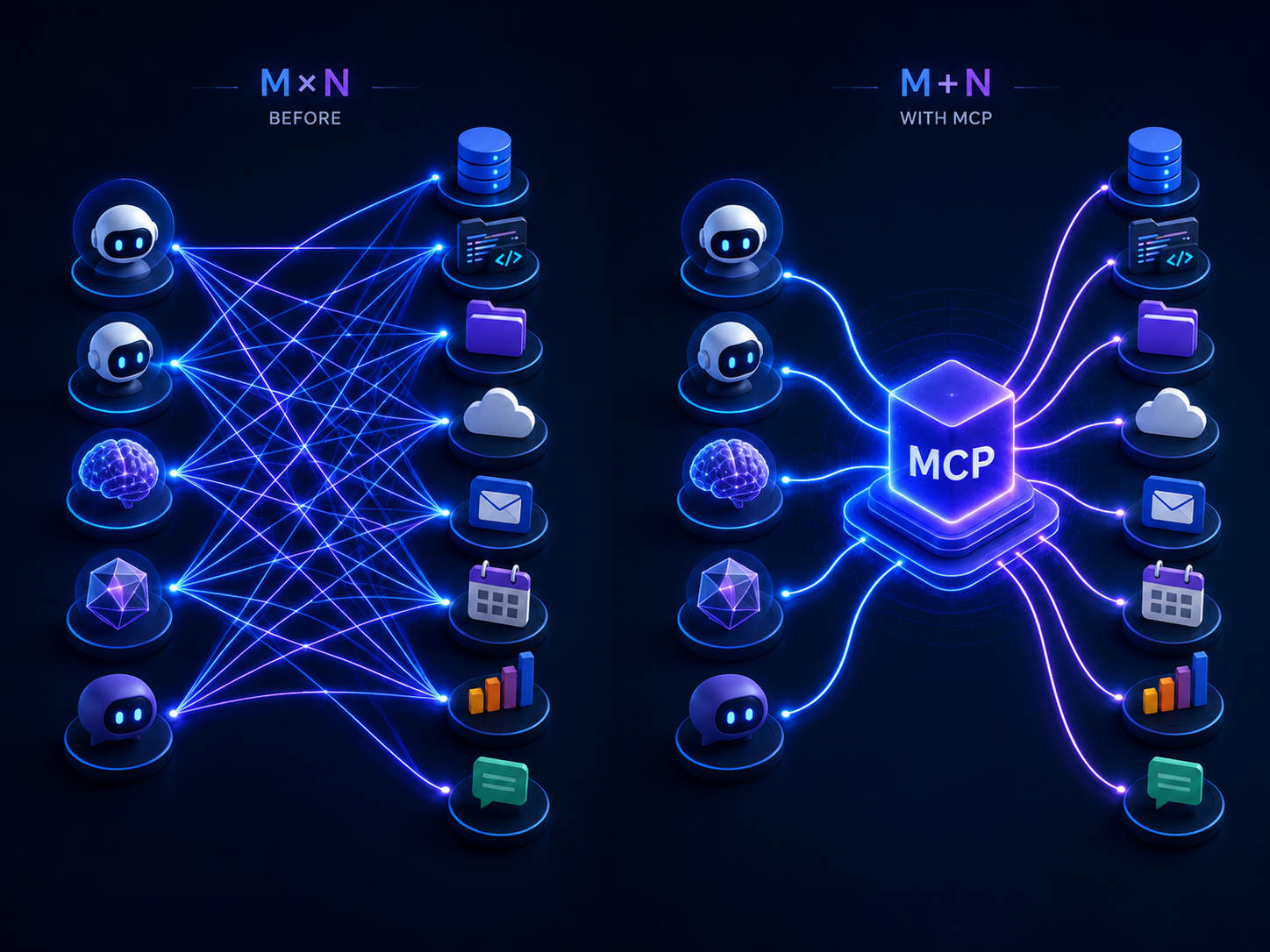
The result is known as the M × N problem.
If you have 10 models and 100 tools, you may theoretically need 1,000 integrations. Every new AI and every new tool adds complexity.
MCP changes the formula.
Instead of M × N integrations, the ecosystem moves toward M + N: each AI client supports MCP, each tool exposes an MCP server, and the whole system becomes interoperable.
How MCP works, step by step
MCP can be summarized like this:
User → AI assistant → MCP client → MCP server → External tool → Response
1. The user makes a request
You write something like: “Look at the three latest open issues on my GitHub repository and summarize them.”
You are not writing a technical command. You are expressing a goal in natural language.
2. The assistant understands that it needs a tool
The model analyzes the request. It understands that it cannot answer correctly from internal memory. It needs to check GitHub.
The application hosting the model, such as Claude Desktop, Cursor or an agent environment, acts as the host.
3. The MCP client discovers available capabilities
The host instantiates an MCP client. The client connects to the relevant MCP server and asks what capabilities are available.
This is a key part of the protocol: the AI can discover exposed tools instead of relying only on hand-written configuration.
4. The MCP server executes the action
The MCP server is the bridge between the AI and the real tool. In our GitHub example, it can list issues, read files, create a branch, open a pull request or retrieve structured information.
The server executes the requested action with the permissions granted.
5. The answer returns to the model
The server returns a structured result. The model interprets it, incorporates it into its reasoning and produces a human-readable answer.
This loop is what lets an agent work through multiple steps instead of simply answering with text.
The two MCP transport modes
MCP can work in several ways, but two modes matter most.
| Transport | Typical use | Main advantage |
|---|---|---|
| STDIO | Local server on the user's machine | Very fast, suited to local files and desktop tools. |
| Streamable HTTP | Remote server accessible over the network | Suited to cloud services, teams and multi-user deployments. |
Concrete examples: what can MCP do?
MCP becomes clearer through examples.
| Connected tool | What an agent can do |
|---|---|
| GitHub | Read a repository, analyze issues, propose a fix, open a pull request. |
| Google Drive | Find a document, summarize a contract, extract specific information. |
| Slack | Read a channel, summarize discussions, detect important messages. |
| Notion | Create a project page, structure tasks, update a knowledge base. |
| SQL database | Turn a question into a query, analyze data, produce a summary. |
| Figma | Read a mockup, extract components, help generate front-end code. |
| Calendar | Find available slots and suggest compatible meeting times. |
| Sort messages, prepare drafts, identify urgent items. | |
| File system | Read, organize or modify files within granted permissions. |
Read next
These articles are the best follow-up to what you are reading.
MCP and AI agents: the real shift
To understand why MCP matters so much, separate four levels.
| Level | What it does | Main limitation |
|---|---|---|
| AI assistant | Answers a question | Stays inside the conversation. |
| Automation | Executes a fixed rule | Does not truly adapt to context. |
| Workflow | Chains predefined steps | Still depends on a mapped path. |
| AI agent | Plans, uses tools, observes and corrects | Depends heavily on tool quality and permissions. |
To do that, it needs reliable access to tools.
That is exactly what MCP provides.
Without MCP, every agent has to carry its own proprietary connectors. With MCP, an agent can rely on an ecosystem of existing servers. That is why the protocol matters so much in modern agentic stacks.
The MCP adoption timeline
MCP matters because its adoption is not limited to Anthropic. The protocol has gradually attracted major AI companies and a growing developer ecosystem.
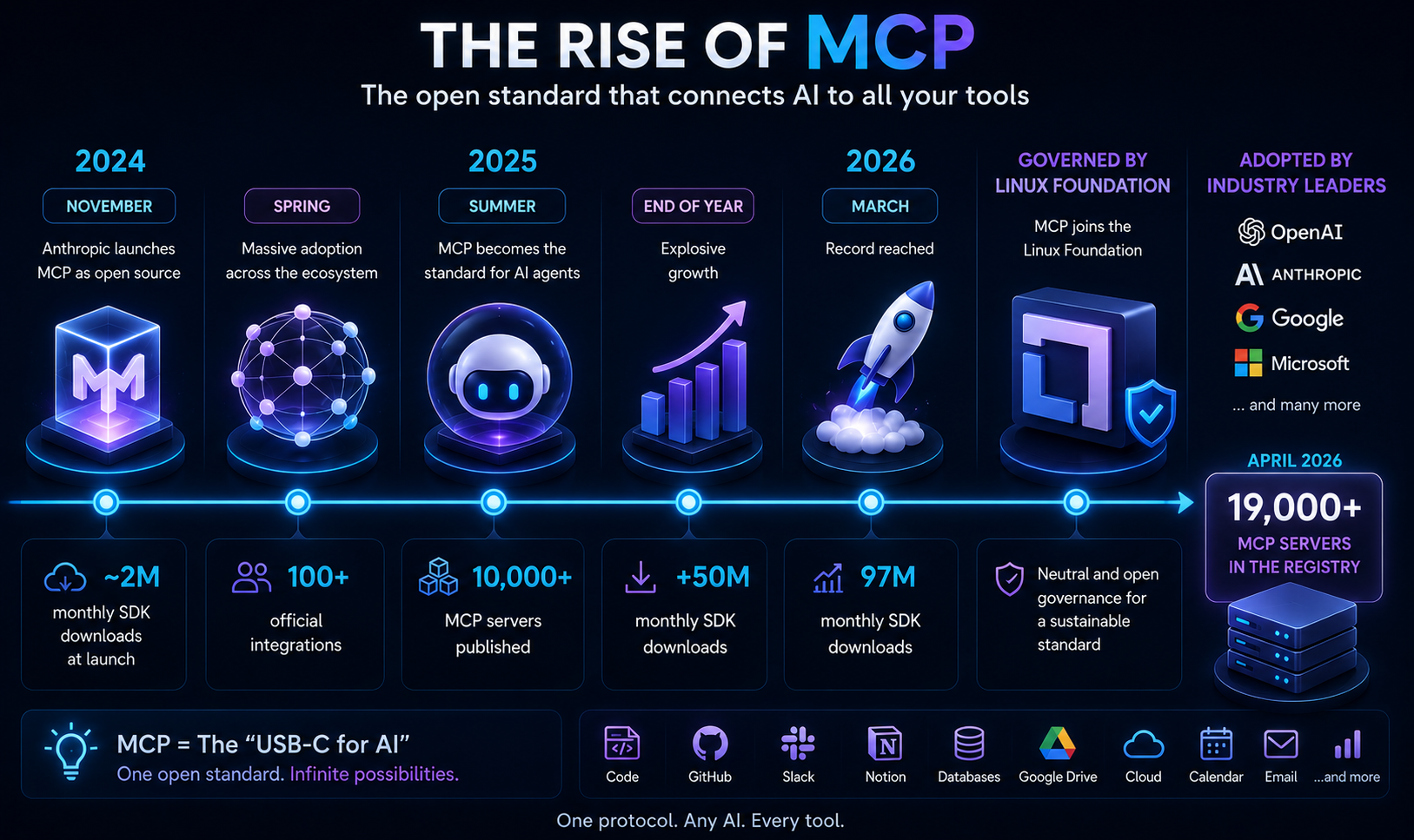
The point is simple: MCP is no longer just an interesting technical idea. It has become a standard around which tools, integrations, frameworks and enterprise use cases are being built.
The advantages of MCP
MCP delivers several concrete benefits.
Interoperability. One MCP server can be used by different compatible clients. That is the core promise: build once, reuse everywhere.
Reduced complexity. Moving from the M × N problem toward M + N greatly reduces the number of integrations to maintain.
Automatic discovery. An MCP client can discover the tools available on a server. This makes agents more flexible and reduces manual setup.
Reusability. A GitHub, Slack or SQL MCP server can serve multiple models, clients and workflows.
Cleaner separation of responsibilities. The model reasons. The MCP server exposes capabilities. The real tool executes the action.
Enterprise potential. Organizations can standardize internal connections instead of multiplying fragile scripts.
> Neuriflux tip > Before building an MCP server from scratch, always check whether an existing server already fits your need. The ecosystem moves fast, and many common connectors already exist.
The limits of MCP
MCP is powerful, but it does not solve everything.
First, the protocol does not guarantee that a tool is well designed. A bad MCP server remains a bad server. If it exposes too many permissions, returns poorly structured data or lacks controls, the agent will be harder to use safely.
Second, MCP does not replace application security. You still need permissions, authentication, logs, human approvals and environment separation.
Finally, MCP does not automatically make an agent reliable. A model can misunderstand an instruction, choose the wrong tool, misread a response or act too quickly.
The right way to see MCP is as an integration layer, not as a guarantee of success.
MCP security: the part you cannot ignore
This is the most important section for serious use cases.
When an AI can only answer, an error is often limited. When an AI can act, read files, query a database, edit a ticket, send a message or trigger an operation, errors can have real consequences.
Tool poisoning
Tool poisoning hides malicious instructions in an MCP tool's description or metadata. The agent can be influenced before it even calls the tool.
This is dangerous because models read tool descriptions to decide what to do. If those descriptions are compromised, the agent's reasoning can be hijacked.
Indirect prompt injection
An agent may read a web page, document, Slack message or email containing hidden instructions. If the model treats them as legitimate instructions, it may perform an unwanted action.
Malicious servers
Not all public MCP servers are equal. Some may be poorly maintained, overly permissive or malicious.
Overly broad permissions
This is the most common risk. If an agent has access to too much, it can do far more damage if something goes wrong.
| Best practice | Why it matters |
|---|---|
| Minimal permissions | The agent should only access what it truly needs. |
| Human approval | Sensitive actions should require confirmation. |
| Trusted servers | Avoid unknown or unmaintained connectors. |
| Logs and audit | You need to know what the agent did and why. |
| Environment separation | Test in a limited workspace before production. |
MCP vs traditional APIs
MCP does not replace traditional APIs. It makes them easier for AI agents to use.
| Criterion | Traditional API | MCP |
|---|---|---|
| Goal | Let applications exchange data | Let AI use tools and resources |
| Capability discovery | Often manual | Standardized through the MCP server |
| Reuse across models | Low without adaptation | High if clients support MCP |
| Architecture | Depends on each service | MCP client, MCP server, tools, resources |
| Agent use | Possible but costly | Designed for AI assistants and agents |
MCP vs ChatGPT plugins
ChatGPT plugins showed early that AI needed tools. But they were mainly tied to the OpenAI ecosystem.
MCP takes a different direction: interoperability.
| Criterion | ChatGPT plugins | MCP |
|---|---|---|
| Scope | Mainly ChatGPT | Any compatible client |
| Governance | Vendor ecosystem | Open standard and more neutral governance |
| Reusability | Limited | High |
| Network effect | Centered on one platform | Shared across multiple actors |
| 2026 relevance | Largely superseded | Central standard for agentic AI |
Who is MCP really useful for?
MCP does not matter equally to everyone.
| Profile | MCP relevance |
|---|---|
| AI developer | Very high: MCP simplifies tool connections. |
| SaaS startup | High: an MCP server can make your product usable by many agents. |
| Enterprise | High: useful for standardizing internal integrations. |
| No-code creator | Medium to high: useful as tools become easier to configure. |
| General user | Low to medium: mostly important indirectly through AI products. |
15 real-world use cases
1. Software development: an agent reads a codebase, analyzes issues, edits multiple files and prepares a pull request.
2. Customer support: an agent checks the CRM, retrieves customer history, drafts a response and escalates complex cases.
3. Data analysis: an agent queries a SQL database, generates a summary and prepares a readable report.
4. Document search: an agent scans Google Drive, Notion or an internal knowledge base to find relevant information.
5. Competitive monitoring: an agent watches web pages, detects pricing changes and produces a summary.
6. Project management: an agent creates tickets, updates statuses and summarizes blockers.
7. Marketing automation: an agent turns an article into social posts, emails or campaign briefs.
8. Internal onboarding: a new employee asks a question; the agent reads documentation and answers with context.
9. Finance and reporting: an agent consolidates data from several tools and flags anomalies.
10. Recruiting: an agent sorts applications, compares profiles and prepares interview notes.
11. Legal work: an agent finds clauses, compares contract versions and extracts sensitive points.
12. Design and front-end: an agent reads a Figma mockup and helps generate a component structure.
13. Product management: an agent combines customer feedback, support tickets and roadmap items to suggest priorities.
14. Operations: an agent monitors workflows, detects failures and proposes corrective actions.
15. Multi-agent work: several specialized agents collaborate, each using different MCP tools to complete a complex task.
What MCP means for the future
MCP matters today, but its real impact will appear in the next generations of agents.
The first phase was connecting models to tools. MCP already enables that.
The second phase is making those connections safer, more governable and easier to deploy in enterprises.
The third phase will likely be collaborative agents: one agent searches, another codes, a third verifies, a fourth documents. In that scenario, MCP serves as the shared layer for accessing tools and resources.
That is why MCP is worth understanding now. It is not just a technical novelty. It is part of the future architecture of AI software.
MCP FAQ
What does MCP mean? MCP stands for Model Context Protocol. It is an open protocol that standardizes the connection between AI models and external tools.
What is MCP used for? It lets AI discover and use tools such as GitHub, Slack, Notion, Google Drive, SQL databases or file systems.
Does MCP replace APIs? No. MCP often builds on existing APIs. It adds a standardized layer that makes them easier for AI to use.
Who created MCP? MCP was launched by Anthropic, the company behind Claude.
Why did OpenAI and Google adopt it? Because MCP solves a common ecosystem problem: connecting AI to tools without multiplying proprietary integrations.
What is an MCP server? It is the component that exposes a tool's capabilities to an MCP-compatible AI.
What is an MCP client? It is the component on the AI application side that connects to the MCP server to discover and use its capabilities.
Is MCP secure? MCP can be used securely, but it introduces risks. Permissions, trusted servers and human validation are essential.
What is tool poisoning? It is an attack where malicious instructions are hidden in tool descriptions to influence the agent.
Is MCP useful for beginners? Yes for understanding the future of AI agents, but direct use is mostly relevant to developers, companies and tool builders.
Does MCP work with ChatGPT? Yes. OpenAI supports MCP in its agent and tool ecosystem.
Does MCP work with Claude? Yes. Anthropic created the protocol, and Claude is one of the most visible MCP environments.
Does MCP work with Gemini? Yes. Google has announced MCP support for several services and integrations around Gemini and Google Cloud.
How many MCP servers exist? The number varies by registry, but the ecosystem already includes thousands of public servers, with some indexes listing more than 19,000.
Will MCP last? Nothing is guaranteed in AI, but adoption by several major actors and more neutral governance make it one of the most credible standards of the agentic era.
Conclusion
MCP is not the flashiest AI announcement. It is not a more powerful model, a prettier interface or a viral app.
It is deeper than that.
MCP is an infrastructure layer that answers a decisive question: how can AI systems use real-world tools without rebuilding the integration every time?
The answer is an open protocol, a client-server architecture, discoverable tools, accessible resources and a fast-growing ecosystem.
But that power comes with a cost: the more AI can act, the more security matters. Minimal permissions, trusted servers, logs and human approval are not details. They are the conditions for using MCP seriously.
Our view is simple: if large models made AI able to reason, MCP is one of the layers that makes it able to act. That is exactly why you should understand it now.
Read next on Neuriflux
- The best AI agents in 2026: to see which tools already use this connected-agent logic.
- Claude Code full review: to understand how MCP fits into development workflows.
- AI agent memory: to discover the other major building block of agent autonomy.
Sources and references
These sources were used to verify dates, technical definitions, protocol adoption and the security risks discussed in this guide. Ecosystem numbers such as MCP server counts vary by public registry: they should be read as directional estimates, not as a single official measurement.
- Anthropic — Introducing the Model Context Protocol: initial MCP announcement in November 2024, presenting an open standard to connect AI assistants with tools and data.
- Official MCP specification — Model Context Protocol: protocol definition, general architecture and reference requirements.
- MCP documentation — Tools: how tools are exposed by MCP servers.
- MCP documentation — Transports: how transports work, including STDIO and Streamable HTTP.
- OpenAI Agents SDK — MCP servers: MCP support in OpenAI's agents SDK.
- OpenAI API — MCP and connectors: using remote MCP servers and connectors to give models new capabilities.
- Google Cloud — official MCP support for Google services: official MCP support for Google services.
- Google AI for Developers — Gemini Docs MCP: public MCP server example for connecting coding agents to Gemini documentation.
- Anthropic — donating MCP to the Agentic AI Foundation: MCP donation to the Linux Foundation's Agentic AI Foundation.
- Linux Foundation — Agentic AI Foundation: governance, founding members and foundation role.
- arXiv — Securing the Model Context Protocol: Risks, Controls, and Governance: MCP risk analysis, including tool poisoning, injection, permissions and governance.
- arXiv — MCP Server Architecture Patterns: architecture patterns observed across MCP servers and production concerns.
 97% match
 93% match
 88% match
 91% match97% match
 84% match
 85% match
 95% match
 88% match
 85% match
 94% match
 91% match
 85% match
 87% match
 88% match